Chatbox AI
Chatbox AI is a chat client that works on Windows, macOS, Linux, Android, iOS, and the web. These instructions are written for the Windows and macOS desktop versions; other versions vary slightly.
Prerequisites
- Obtain your AI-VERDE API Key. Instructions can be found here.
- Note the model(s) you want to configure for Chatbox AI. Instructions can be found here.
- Install Chatbox AI by visiting this page: https://chatboxai.app/en#download.
- The remaining instructions assume you have Chatbox AI installed.
1. Configure AI-VERDE in Chatbox AI
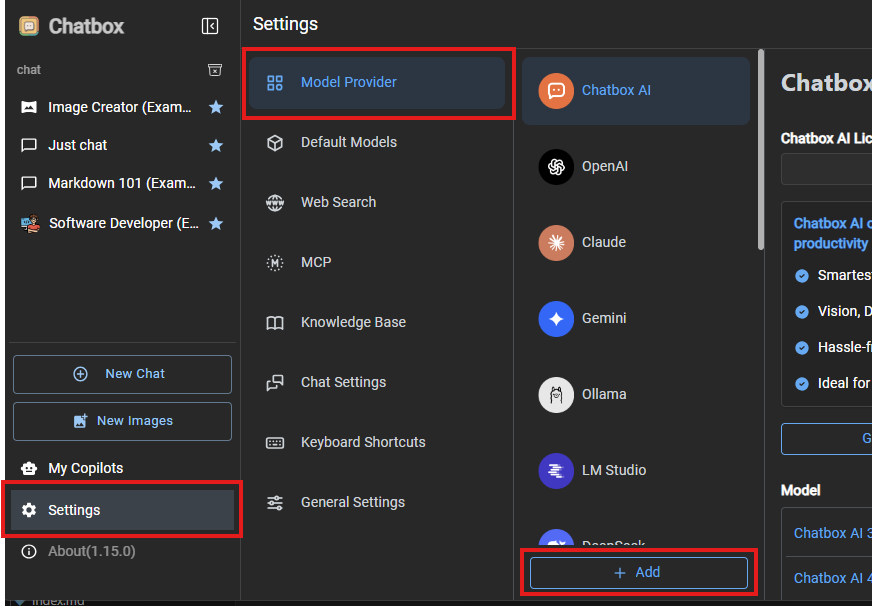
For these steps, you can refer to the screenshots below.
- Launch Chatbox AI.
- Click Settings.
- Click Model Provider.
- Click the "+ Add" button.
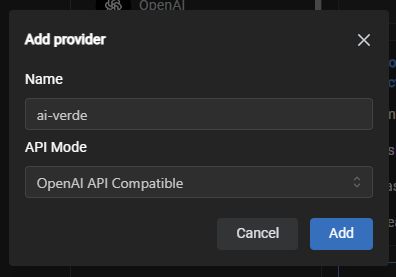
- Enter "ai-verde" in the Name field.
- Leave API Mode set to "OpenAI API Compatible".
- Click the Add button.
You should then be shown the ai-verde configuration panel on the right. - Enter (or paste) your AI-VERDE Key in the API Key field.
- Enter
https://llm-api.cyverse.ai/v1in the API Host field, and leave the API Path field empty.
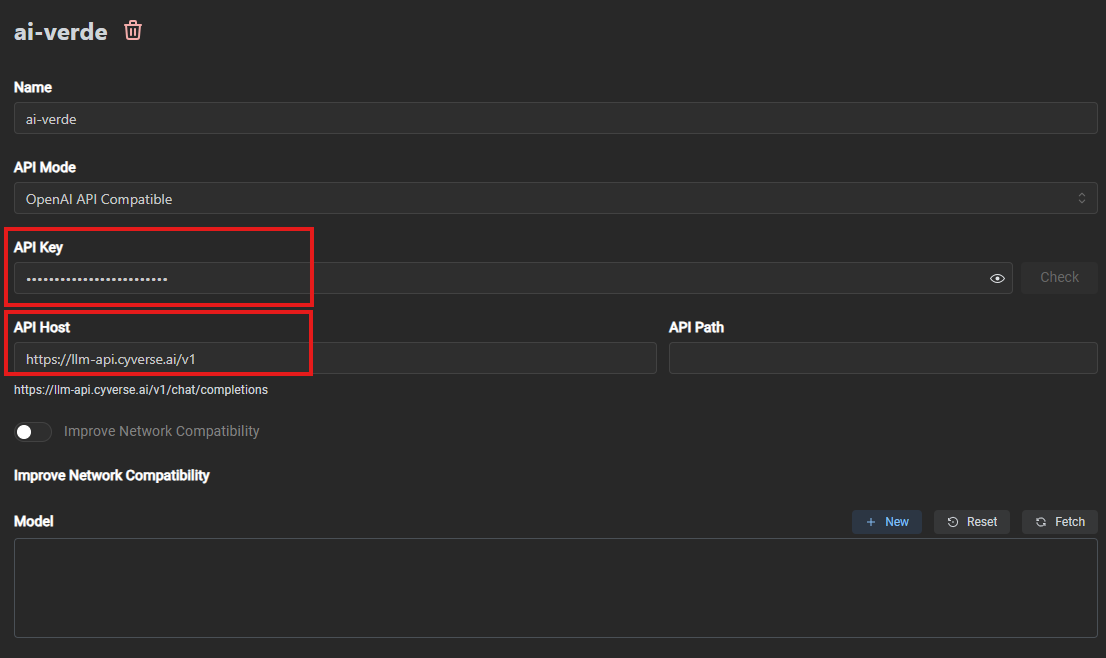
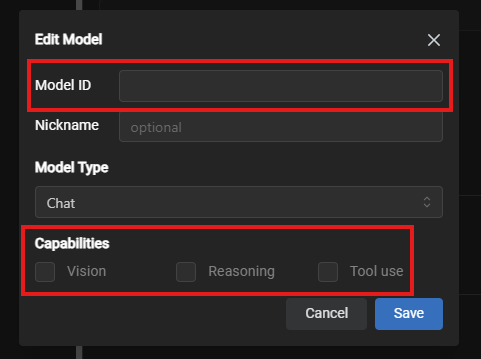
- In the model section, click the "New" button, and a new model dialog box will be shown.
- Enter the model in the "Model ID" field.
-
Under capabilities, select the capabilities you know the model supports: vision, reasoning, or tool use.
Note
Capabilities for a model can be modified at a later time.
-
Click on the "Save" button
- You can repeat steps 10-13 to add additional models.
- Optionally, after adding one or more models, you can click the "Check" button to test the connection to AI-VERDE.
Now you're ready to begin chatting!
2. Using Chatbox AI with configured models
- At any time, you can click the "New Chat" button or click a previous conversation in the left panel.
- Select the model for this chat session, if necessary.
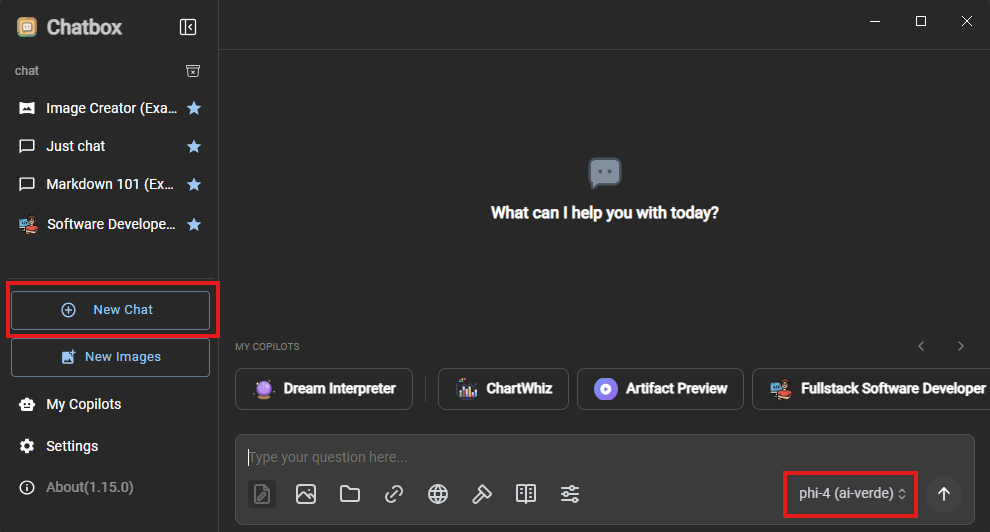
- Enter your request in the chat textbox to begin chatting with the model.
There is a lot of functionality provided by Chatbox AI (as with many other chat interfaces). Feel free to explore!